Instantly count lines, words, characters, and analyze text with our advanced line counter. Real-time statistics, duplicate detection, reading time estimation, and more. No registration required.
Real-Time Counting
Updates as you type or paste.
Time Estimation
Reading & writing time calculator.
Advanced Analysis
Duplicate detection & word density.
100% Private
Data stays in your browser.
What is a Line Counter Tool?
Our free online line counter helps writers, programmers, students, and professionals analyze text with precision.
Count lines, words, characters (with and without spaces),
estimate reading and writing time,
detect duplicate lines,
and get word density statistics—all in real-time.
Perfect for writers, students, and programmers100% free, no registration
Text Analyzer
Character Limit5000
0%
Word Density (Top 10)
⚡
SmartOnline Tool
Advanced Line Counter & Text Analyzer
Master Your Text with Real-Time Analytics
Our Line Counter and Text Analyzer is a comprehensive workstation designed for writers, coders, and editors. Whether you need to track character limits, remove duplicates, or estimate reading times, our tool provides institutional-grade precision directly in your browser. With a massive character limit ranging from 100 to 2000+, it handles everything from short snippets to long-form content effortlessly.
⏱️
Real-Time Counting
Monitor total lines, words, paragraphs, and characters (with/without spaces) as you type with instant feedback.
📅
Time Estimation
Calculate precise Reading and Writing times. Perfect for scripts, speeches, and blog post planning.
🔍
Duplicate & Density
Detect duplicate lines and view Top 10 Word Density percentages to optimize your content's keywords.
🔒
100% Private
Your data stays in your browser. No server uploads ensure your sensitive information remains completely private.
Smart Feature Control Panel
Take full control of your text formatting with our interactive check-mark system. These functions allow you to visualize your text structure in a way that standard editors cannot:
✔️ Line Numbering (Left Side)
✔️ Highlight Empty Lines (Yellow)
✔️ Detect Duplicate Items
✔️ Auto-Save Session Data
Advanced Editing & Tools
Our analyzer isn't just about counting; it’s about refining. Use the Word Density card to see one-time percentages and recurring item counts. Need a better view? Switch to Full Screen Mode to focus entirely on your work. With our integrated Auto-Paste system, you can bring data from anywhere with a single click, or use the Clear button to start fresh instantly.
Comprehensive Output Options
Once your analysis is complete, we make it easy to move your data. You can Extract as Clean Text, copy specific metrics, or save the entire structure. From identifying MPT (Empty) lines in vibrant yellow to highlighting duplicate sentences across the world, Smart Online Tool ensures your text is professional, concise, and perfectly formatted.
Installing...
×
Smart Tool
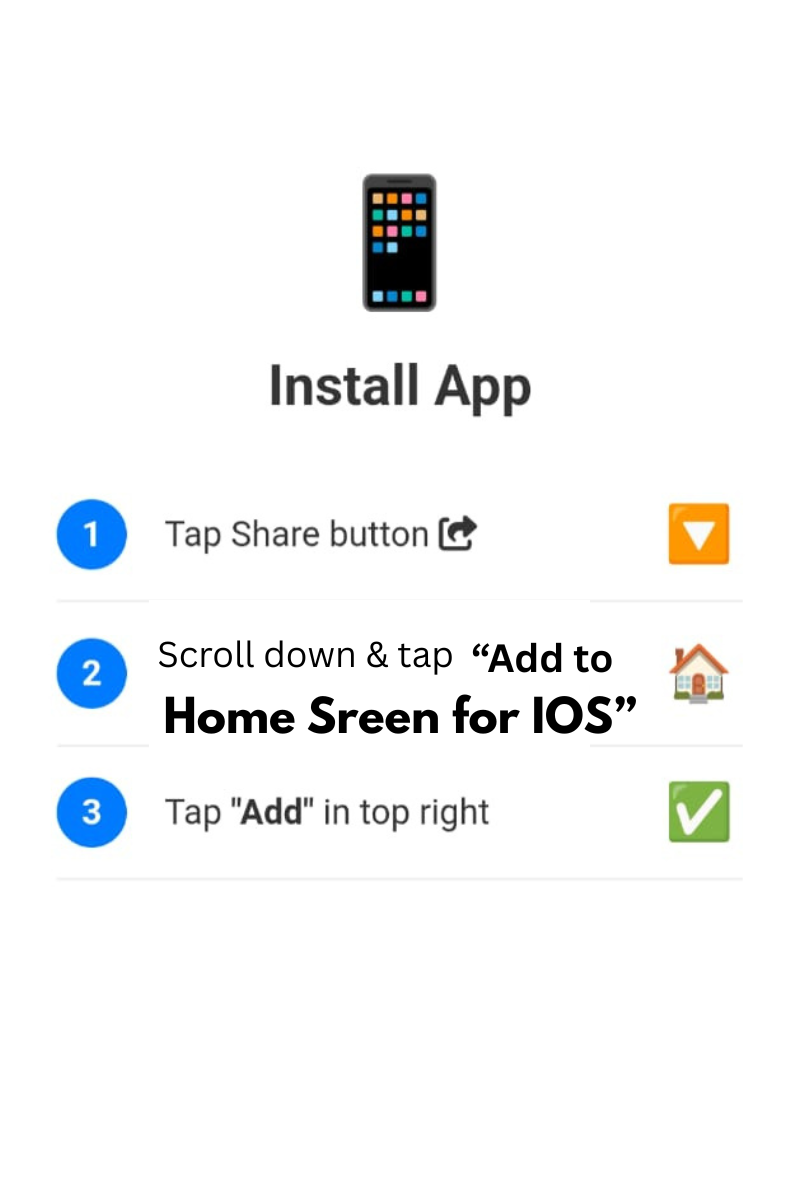
For iPhone: 1. Tap Share 2. Select 'Add to Home Screen'