Free Online Notepad With Auto-Save, Multiple Notes and Cloud Sync
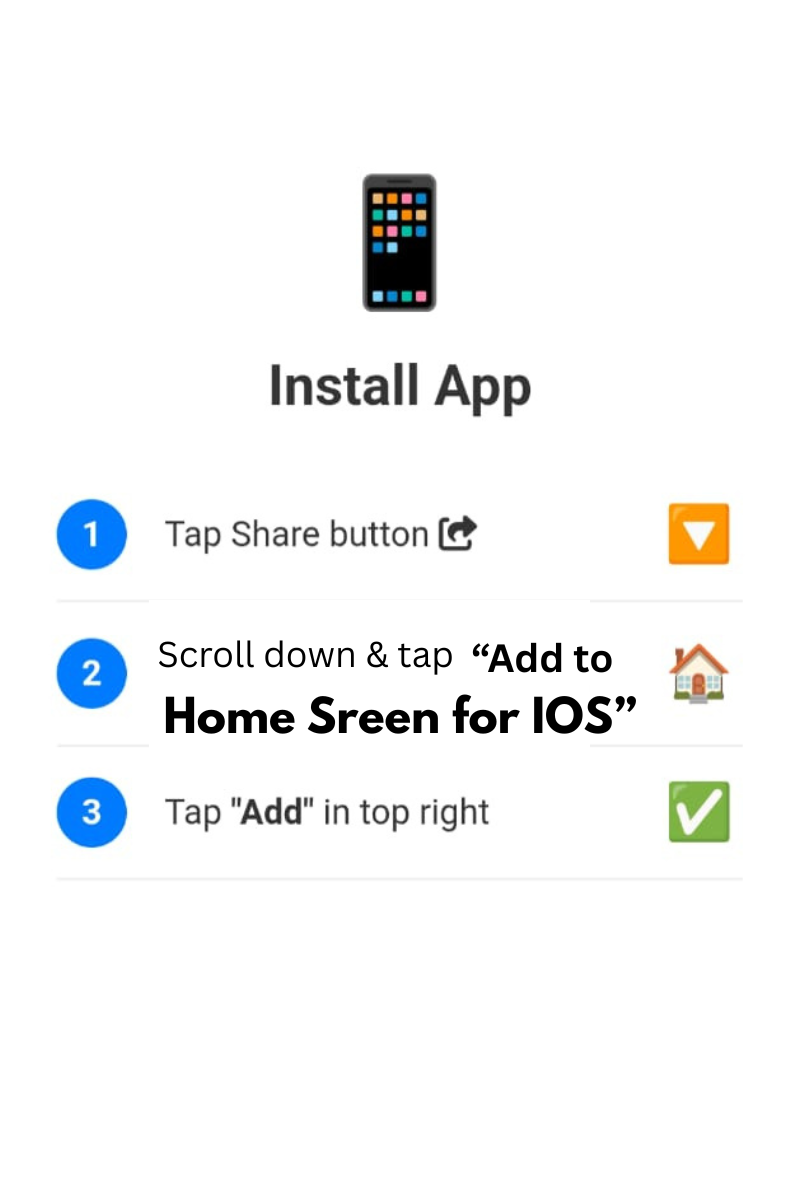
The Free Online Kangaroo Notepad by Smart Online Tool is a fast, clean notepad that opens in your browser and saves everything while you type. Keep as many separate notes as you like, format them with a rich-text editor, find and replace text, protect your notes with a PIN or fingerprint, set reminders and export your work as TXT or PDF. Sign in with Google to keep your notes on every device, or use it without an account if you prefer to keep notes in your own browser. There is nothing to install, and you can still add it to your home screen to open it like an app.
Main Features
- Automatic saving: every change is saved as you type, so your notes are not lost if you close the tab or your battery dies.
- Unlimited notes: create as many separate notes as you need, each in its own tab, with automatic names such as Note 1, Note 2 and Note 3.
- Smart note names: the first line of a note becomes its title in the tab and in the notes list, or you can rename any note yourself.
- Colour for every note: give each note its own colour so important notes are easy to spot.
- Rich-text editor: headings, font size, a choice of fonts, bold, italic, underline, strikethrough, text colour and links.
- Find and replace: search a note quickly, move between matches and replace one or all of them.
- Live counters: see the number of words, characters and sentences as you write.
- Reminders: set a reminder with a time, a date, a bell sound and an optional yearly repeat, which is handy for birthdays and anniversaries.
- Codelock privacy: lock the app with a 4 to 6 digit PIN, with a recovery code and fingerprint or Face ID unlock on supported devices.
- Google sign-in sync: sign in to keep your notes on your phone, tablet and computer.
- Works offline: notes are kept on your device first, and they sync to your account when the internet returns.
- Export and backup: download the open note as a TXT or PDF file, open existing .txt files and make a manual backup copy.
- Recently deleted notes: deleted notes go to History, so you can restore them.
- 23 languages and light or dark mode: use the notepad in your own language and in the theme that suits you.
- Mobile, tablet and desktop: a full-screen writing view on phones, and a roomy layout on larger screens.
Organise Your Notes
- Notes list: open the menu to see all your notes, each with a title, a short preview and the date.
- Search: find a note by typing a word from its title or text.
- Date filter: pick a day in the calendar to see the notes written on that date.
- Pin to Diary: mark your favourite notes with a star and view them under Diary.
- Rename, clear or delete: every note has a menu for renaming, clearing the text or deleting it.
- Copy all: copy the full text of a note with a single tap.
Rich-Text Writing Tools
- Headings and sizes: choose from normal text and Heading 1 to Heading 6, or pick a text size from small to huge.
- Fonts: pick a font for headings, quotes or special notes, including fonts suitable for Urdu and Arabic writing.
- Styles and colours: bold, italic, underline, strikethrough and your own text colour.
- Links: insert a link into your text and open it from the note.
- Clean pasting: text pasted from websites comes in as plain text, so your note stays tidy.
- Clear formatting: remove styles from selected text in one tap.
Reminders That Fit Your Day
Press the bell button, choose the time, and optionally choose a date and a yearly repeat. You then choose how to be reminded:
- In this app: a bell rings and a message appears. The bell keeps ringing until you press Stop. This works while the notepad is open in your browser or installed on your device.
- Phone calendar: add the reminder to your calendar, so it can alert you even when the app is closed. Calendar apps ask you to confirm the event.
Good to know: a website cannot ring in the background on its own, so for important dates use the calendar option.
Privacy and Security
- Your choice: sign in with Google to save notes to your account, or choose to continue without signing in.
- PIN lock: lock the notepad with a 4 to 6 digit PIN and save the recovery code in case you forget it.
- Fingerprint or Face ID: unlock quickly on devices that support it.
Tip: if you use the notepad without signing in, your notes are stored in this browser only. Clearing the browser's data can remove them, so make a backup or sign in to keep a copy in your account.
How to Use the Kangaroo Notepad
- Start typing in the writing box. Your note is saved automatically.
- Add another note with the new note button, or open the menu to switch between notes.
- Format your text with the toolbar, and use Find/Replace when you need to change words quickly.
- Set a reminder with the bell button if you want to be reminded later.
- Sign in with Google if you want your notes on all your devices, and add a PIN if you want privacy.
- Export a note as TXT or PDF whenever you need a copy.
Who Is It For?
- Students who keep class notes, to-do lists and exam plans.
- Writers and bloggers who draft ideas, outlines and articles.
- Office workers who keep meeting notes, ideas and daily tasks.
- Anyone who wants a private diary, a shopping list or a place to remember important dates.
Frequently Asked Questions
Is the Kangaroo Notepad free?
Yes. The notepad is free to use, and you do not need to install anything to start writing.
Are my notes saved automatically?
Yes. Notes are saved as you type. If you sign in with Google, they are also saved to your account.
Can I use it without internet?
Yes. Your notes stay on your device and keep working offline. When you are online again, signed-in notes sync to your account.
Can I protect my notes with a PIN or fingerprint?
Yes. Open Settings and use Codelock to set a PIN, and turn on fingerprint or Face ID if your device supports it.
Can I export my notes?
Yes. You can export the open note as a TXT or PDF file, open existing .txt files and make a manual backup.
Will the reminder work when the app is closed?
The in-app bell rings while the notepad is open. For reminders that must reach you when the app is closed, choose the phone calendar option.
More Free Tools From Smart Online Tool
- Start a chat without saving the number with the Professional WhatsApp Direct Tool, which also creates chat links and QR codes.